What Is an NFC Menu Card and How Does It Work for Restaurants
October 6, 2026
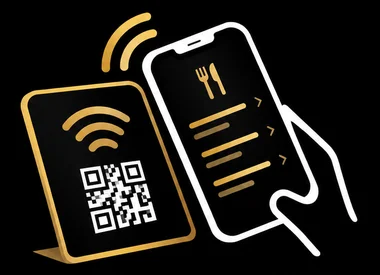
An NFC menu card is a physical card or tag containing a small chip that allows restaurant guests to open a digital menu on their smartphone by simply holding their phone near the card. No app downloads or manual typing is required—the menu appears instantly in the phone's browser.
This technology has become increasingly popular in restaurants and cafes as a hygienic, convenient alternative to traditional printed menus. Understanding how NFC menu cards work can help you decide if they're the right fit for your establishment.
How NFC Technology Works
NFC stands for Near Field Communication. It's a wireless technology that allows two devices to exchange information when they're brought very close together—typically within a few centimetres. The same technology powers contactless payment cards and public transport passes.
An NFC menu card contains a small chip and antenna embedded inside. This chip stores a web address pointing to your restaurant's digital menu. When a guest brings their smartphone close to the card, the phone reads this information and automatically opens the menu in their web browser.
The NFC chip doesn't need batteries or charging. It draws the tiny amount of power it needs from the electromagnetic field generated by the guest's phone during the brief moment they hold it near the card.
What Guests Need to Use NFC Menu Cards
One of the main advantages of NFC menu cards is their simplicity for guests. They don't need to download any special apps or create accounts.
For iPhone users with an iPhone XS, XR or any newer model, the NFC reading capability works automatically in the background. They simply hold their phone near the card and a notification appears at the top of the screen, which they tap to open the menu.
Older iPhone models, such as the iPhone 7 and 8, have NFC hardware but it only works through a dedicated app. Guests with these phones would need to use the phone's camera to scan a QR code instead, or download a free NFC reader app.
Android phone users need to have NFC switched on in their settings. Most modern Android phones come with NFC enabled by default, but guests who have turned it off will need to use an alternative method like a QR code.
Setting Up and Managing Your Digital Menu
When you get NFC menu cards for your restaurant, they typically come pre-programmed to point to a specific web address where your menu is hosted. You access an online dashboard where you can edit your menu items, prices, descriptions, and upload photos.
The beauty of this system is that you can update your menu as often as you like—changing daily specials, adjusting prices, or adding seasonal items—without needing to reprint anything or reprogram the NFC cards. The cards always point to the same web address, but the content at that address is what you control.
Many NFC menu services, including options like the TapToMenu NFC menu card, offer automatic translation features. This means when a guest opens your menu, it can display in their phone's language setting, making it easier to serve international visitors without maintaining multiple versions of your menu.
Technical Considerations for Restaurant Owners
NFC tags are rewritable by default, meaning the web address they contain can be changed if needed. However, most providers lock the tags before shipping them to prevent accidental reprogramming. This is generally what you want—it ensures the cards keep working reliably without risk of being accidentally overwritten.
The cards themselves are durable. They come in various forms: rigid plastic cards similar to credit cards, stickers that can be attached to surfaces, or integrated into table stands and displays. They're waterproof and can be wiped down as part of your normal cleaning routine.
One important limitation to understand is range. NFC only works over a few centimetres, so guests need to hold their phone quite close to the card. This isn't like WiFi or Bluetooth that works across a room—it requires deliberate, close contact. While this limits convenience slightly, it also means guests must intentionally choose to access your menu, and there's no interference between multiple NFC cards placed near each other.
Frequently Asked Questions
Do guests need to download an app to use NFC menu cards?
No, guests don't need any app. The menu opens directly in their phone's web browser. Modern iPhones (XS/XR and newer) read NFC automatically, and most Android phones work with NFC enabled in settings.
Can I update my menu after the NFC cards are printed?
Yes, you can update your menu content anytime through your online dashboard. The NFC card always points to the same web address, but you control what appears at that address, so changes are instant without reprinting cards.
What happens if a guest's phone doesn't support NFC?
It's good practice to offer a backup option like a QR code alongside your NFC cards. This ensures all guests can access your digital menu regardless of their phone model or settings.
Tap the card. The menu opens.
An NFC menu card for restaurants and cafes. Guests hold their phone near it and your menu opens instantly, automatically translated into their language. No app, no printing new menus.
Order your cards