WhatsApp & Phone Buttons on Digital Menus for Restaurants
October 16, 2026
You can add WhatsApp and phone call buttons directly to your restaurant's digital menu, letting guests message or call you with a single tap while they're browsing dishes on their phone. These buttons appear alongside your menu items and connect guests to your contact channels instantly, without them needing to search for your number or switch apps.
For venues using NFC menu cards or QR codes to share digital menus, adding direct communication buttons turns the menu into a two-way channel. Guests can ask about allergens, request modifications, make reservations, or place takeaway orders without leaving the menu page.
How WhatsApp Buttons Work on Digital Menus
A WhatsApp button on your digital menu is a clickable element that opens WhatsApp on the guest's phone with a chat to your restaurant already started. When they tap the button, WhatsApp launches automatically and they can begin typing their message immediately.
You'll need a business phone number where you can receive WhatsApp messages. This can be your regular mobile number or a separate business line. The button works with both regular WhatsApp and WhatsApp Business, though WhatsApp Business offers helpful features like automated greetings and quick replies for common questions.
The technical implementation is straightforward: the button contains your phone number in international format, so when tapped, it tells the guest's phone to open WhatsApp and start a conversation with that number. Most digital menu platforms, including services like TapToMenu, let you add your WhatsApp number in your menu settings, and the button appears automatically for guests.
Adding a Phone Call Button
A phone call button works similarly but initiates a voice call instead of opening a messaging app. When a guest taps it, their phone's dialler opens with your number already entered, and they just need to confirm the call.
This is particularly useful for urgent enquiries, last-minute reservations, or situations where a conversation is clearer than messaging. Some guests, especially older ones, may prefer calling to messaging, so offering both options covers different preferences.
One consideration: during busy service periods, answering calls can be disruptive. Many restaurants find that WhatsApp messages are easier to handle because staff can respond when there's a quiet moment, rather than being interrupted immediately. You might choose to display only the WhatsApp button during peak hours and show both options during quieter times, though most menu systems show the same buttons all day.
What Guests Actually Use These Buttons For
The most common use is asking questions about dishes. Guests message to check if something can be made vegetarian, whether a dish contains specific allergens, or how spicy something really is. These questions come in before they visit, while they're browsing your menu at home or in their hotel.
Takeaway and delivery enquiries are another frequent use. Even if you don't use delivery apps, guests often prefer to order directly by phone or WhatsApp to avoid platform fees or simply because they trust direct communication more.
Reservation requests come through regularly, especially from guests who find your menu via NFC card or QR code while they're already nearby. They might be standing outside, looking at your menu on their phone after tapping an NFC card at your entrance, and want to check if you have a table available now.
Some guests use the buttons to give compliments or feedback. While you can also add a Google review button to your digital menu (on TapToMenu, happy guests can leave a Google review in one tap when you add your review link), direct messages often contain more detailed, private feedback or specific compliments for staff members.
Setting This Up for Your Venue
If you're creating a digital menu from scratch, look for platforms that include communication buttons as standard features. On taptomenu.online, for example, you can create a digital menu for free with just a name and email, add your WhatsApp and phone numbers in the settings, preview exactly what guests will see including the buttons, and order NFC cards only when you're happy with everything.
Make sure the phone number you use can actually receive WhatsApp messages or calls during the hours you want to be reachable. Assign someone to monitor messages, especially if you're promoting the WhatsApp option. Unanswered messages frustrate guests more than having no messaging option at all.
Consider adding a short note near the buttons explaining what guests can contact you about, like "Questions about allergens or reservations? Message us on WhatsApp." This increases usage by making the purpose clear.
Frequently Asked Questions
Do guests need WhatsApp installed to use the WhatsApp button?Yes, the WhatsApp button only works if the guest has WhatsApp installed on their phone. If they don't have it, nothing happens when they tap the button, which is why offering a phone call button as well gives guests an alternative contact method.
Can I use a landline number for the phone button?Yes, the phone button works with any phone number including landlines. However, landline numbers cannot receive WhatsApp messages, so you would need a mobile number for the WhatsApp button if you want to offer both options.
Will I get spam messages if my WhatsApp number is on the menu?Spam is uncommon because the number isn't displayed as text that bots can scrape; it's embedded in a button. Most messages you receive will be genuine enquiries from people who are viewing your menu because they're interested in your venue.
Tap the card. The menu opens.
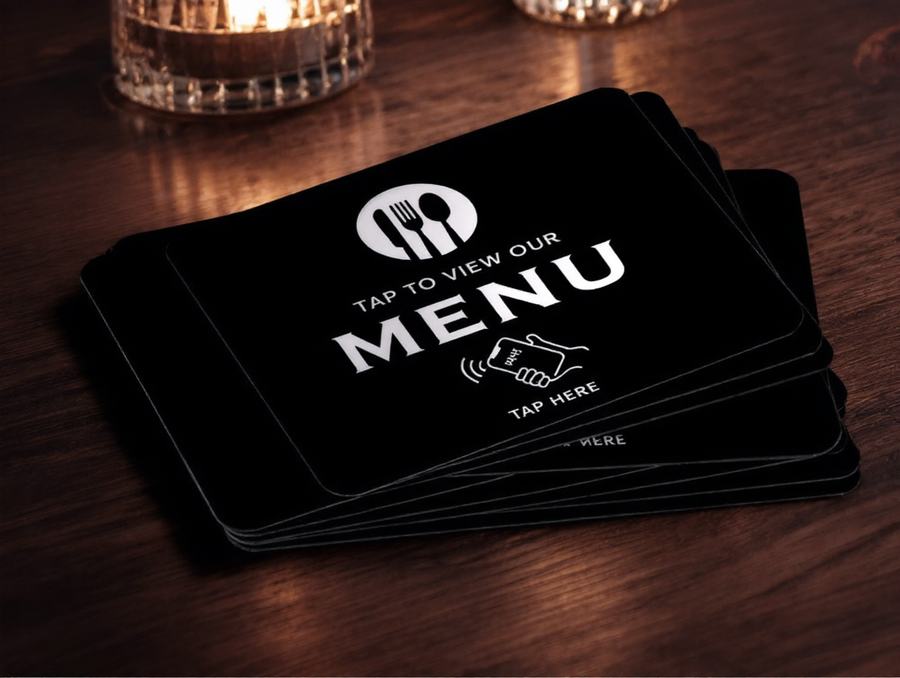
An NFC menu card for restaurants and cafes. Guests hold their phone near it and your menu opens instantly, automatically translated into their language. No app, no printing new menus.
Order your cards